
Changelog
 = New feature
 = Enhancement
 = Bug fix
|
Type |
Area |
Description |
| |
Shipment icons
|
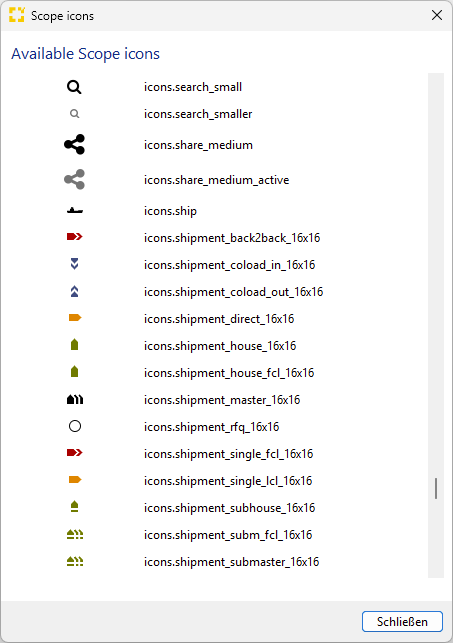
Visual refreshment of shipment icons: Coloading as well as SubMaster/SubHouse icons in Air/Ocean Export/Import overviews and Home View. Simple Shipment and Booking icons refreshed in Home View. Overhauled Scope Icon overview available under
|
| |
Denied Party Screening |
Dialog to set a Denied Party Exemption now supports a free text remarks field, which allows the user to document an exemption reason. |
|
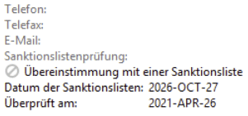
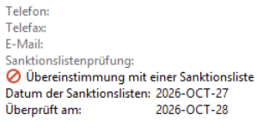
Denied Party Screening |
Added icons to improve visualization of compliance state Ban icon for bad check (not outdated): |
| |
Shipping Order Interface | Fixing processing of container/goods data in recently introduced in Inbound Shipping Order Interface 4.0 and 4.1. |
|
Type |
Area |
Description |
| |
Air Export | New option added to Master Data > Airfreight > Consol Flight Schedule Templates to create a new template from the selecting row via New menu. |
| |
Air Messaging | First introduction of EBR indicators in eAWB/eHouse transmissions with both formats requested by AirFrance/KLM and Lufthansa Cargo. EBR indicator is triggered by the existence of an EBR document on the shipment, if printed from Scope. |
| |
Shipping Order Interface | Enhanced the Inbound Shipping Order Interface to support SLAC, requires Shipping Order XML version 4.1. |
|
Type |
Area |
Description |
| |
Sea Export FCL Precarriage and Freetime Handling on General Tab |
We have completely redesigned the precarriage tab within the goods tab now showing the three main stages – empty container pickup – cargo pickup from door – container delivery to terminal with more details, automatic updates from inbound events as well as freetime calculation on container level pre-defined by user on the general tab. |
| |
Seafreight Shipment Entry & Validation | For seafreight shipments (and masters) in the different editors fields ‘OBL Number’, ‘Booking Reference(s)’ and ‘Seal Number’ (for a container) are automatically Uppercase-Entry fields and leading / trailing spaces are trimmed. In addition a validation error is shown if invalid characters are entered (allowed are: ‘A-Z','0-9' and '()_-./') or - in case of ‘OBL Number’ and ‘Booking Reference(s)’ - the length is not between 6 and 35 characters. |
| |
Documents Tab | Received text and PDF documents from a carrier, which relate to a transmitted booking, shipping instruction or vermas message are foldable now in the documents tab. That means all documents for the same message are stacked now. |
| |
House B/L and B/L Instructions | The total volume when printing House B/Ls or B/L Instructions does not show “0 cbm” anymore in case the total volume is “0”, but is set to an empty string to avoid printing this value on the document. |
| |
Ocean Import Shipment Overview |
Added Incoterm as a filter, sortable column, and saved filter criterion in the Ocean Import shipment overview. |
| |
DAKOSY, Portbase & BHT Monitoring |
Added Export View to DAKOSY, Portbase, and BHT home views, allowing users to export filtered and customized message lists for reporting and follow-up activities. |
| |
Tracking Plan Templates |
Improved event matching for import Gate-Out milestones by ensuring that both the container and destination location must match before a milestone is completed. |
| |
Simple Shipment Overview |
Added a temperature column to the Simple Shipment Overview, allowing users to identify temperature-controlled shipments directly from the overview and reporting exports. |
| |
Ocean Carrier Booking |
EDI booking to carriers take over the adjusted main transport (vessel and leg data) from shipment for new booking attempts rather than using the main transport data from the previous attempt |
| |
General = Forwarding and Customs |
We have increased the number of document types supported in Scope by 40 new types. |
| |
Bill of Lading |
The Freight Payable At field is now automatically defaulted based on the selected freight term (Prepaid = Port of Loading, Collect = Port of Discharge). Manually entered values are no longer overwritten by the default logic. |
| |
Sea Carrier EDI/Tracking |
In addition to Booking, Shipping Instruction, VGM we have introduced events from carriers received by Coneksion. |
| |
Sea Carrier EDI / Depot-Mapping |
We have introduced a new EDI-Profile “OCE” to give users or admins the option to maintain depot/terminal-mappings for unmapped depots and terminals received by carrier booking confirmations. This enables the existing function “map one-time address to partner” also for container depots and container terminals. |
| |
AMS Filing & Tradetech |
Shipping instructions (e.g. via INTTRA) and Tradetech manifest allow now AMS filing for countries
|
| |
ClearingCenter Portsystems, Portbase messages | Fixed an error where no T1000 could be generated after sending M1001 to Portbase. |
| |
Scope, Cargosteps communication | Fixed an error where Scope would treat communication with Cargosteps as success, although it failed in ClearingCenter. Scope will now show what went wrong. |
| |
Dakosy XML |
In Dakosy Orders (HDS / Quay Order) in XML format, the field PostalIdentificationCode is limited to 9 characters. The editor now shows an error validation in case the field (defined for an address) is longer. In addition, all fields used in the outgoing XML message are trimmed before using them in the interface - so leading or trailing spaces are removed before the message is created. |
| |
Container Web Tracking | When processing events for CWT (Container Web Tracking), prevent a possible NPE in case a shipment could not be found due to a missing main transport. That might happen in case a shipment with a main transport had been converted into a shipment without a main transport before the CWT post processor processed the event. |
| |
Dakosy XML | The Dakosy voyage number is validated to allow only strings with 3 letters followed by 4 digits in case of a HDS. Any other value results in an error validation. |
| |
Ocean Carrier EDI / CargoSmart |
Fixed an issue where container humidification settings were transmitted with an incorrect qualifier in CargoSmart booking messages (IFTMBF). Humidification values are now sent in the format expected by CargoSmart. |
| |
Dakosy EMP |
When editing a Dakosy HDS or Quay order, the dimensions for a goods line are not mandatory anymore. |
| |
Import Shipments |
Action Name for “Change Shipment Type” for Import Shipment now consistent. |
| |
Sea Import Master |
When exporting the Container Unloading List, no more exception is thrown even when containers belong to houses of other branches. |
| |
Tradetech |
Validation result messages from Tradetech are now forwarded to Scope. |
| |
Ocean Carrier master data |
Users in multi-client system can no longer maintain or delete ocean carriers. |
| |
Carrier Events via Coneksion |
Events from Carrier on existing EDI bookings were not displayed correctly with the events tab of the shipment if booked via Coneksion portal. We use Scope Generic Events if relayed by Coneksion while we use proprietary events from INTTRA and CargoSmart and InforNexus. |
| |
Prealert |
Received XML prealerts, which do not contain any document are now also printed automatically. In the past, the prealert was only printed, if it contained at least one document. |
|
Type |
Area |
Description |
| |
Zoll Event-Schnittstelle | Wird eine SumA Position zollseitig storniert, so werden die genauen Informationen im CPR Event im Remarks Element aufgeführt. |
| |
Zoll Event-Schnittstelle | Für alle von Scope generierten Zoll-Events aus dem Bereich ATLAS WKS wird nun die Bezugsnummer des Vorgangs im Element customsReferenceNumber übergeben. |
| |
SCI-Schnittstelle | Das SCI Mapping wurde in allen betroffenen Verfahren um die Angaben PV Wertsteigerung, Gehaltsangaben für Alkohol, Milch und Saccharose erweitert. |
| |
SCI Events | Korrekterweise wird bei einem Passar Ausfuhrevent in dem XML ab sofort unter ‘procedure’ <Export> geschrieben. |
|
Type |
Area |
Description |
| |
ATLAS AES | Bei der Erstellung einer neuen Ausfuhranmeldung in Scope wird nun ein Warnhinweis angezeigt, wenn das Bestimmungsland nicht mit dem Land des Empfängers übereinstimmt. |
| |
ATLAS AES | Bei der Erstellung einer neuen Ausfuhranmeldung wird nun bei fehlendem statistischen Wert eine Warnung angezeigt, da dieser laut ATLAS IHB nicht verpflichtend ist, aber dringend empfohlen wird. |
| |
ATLAS WKS | Die Fehlerdarstellung im Fall von Übertragungsfehlern an den Zoll wurde verbessert. |
| |
ATLAS Einfuhr | Bei der Erfassung des Vorpapiers in allen Verfahrensbereichen in ATLAS Einfuhr wurde eine fehlende Validierung für die Art der Identifikation ergänzt. |
| |
ATLAS AES |
Es wurde ein Fehler behoben, durch den die MRN eines AES-Vorgangs in bestimmten Fällen nach einem Statusupdate verloren gehen konnte. Die MRN bleibt nun auch bei eingehenden Statusänderungen am Vorgang erhalten und wird nicht mehr unbeabsichtigt entfernt. |
|
Type |
Area |
Description |
| |
Passar Durchfuhr / Transportanmeldung | Feldbezeichnungen wurden angepasst. Die Validierung des Formats wurde auf alphanumerisch, max. Länge 35 Zeichen, angepasst. |
| |
Passar Einfuhr / Chartera Input | Dokumente, welche an den Zoll geschickt werden, können gelöscht werden. Dies wird entsprechend angezeigt und dokumentiert. Dazu gibt es auch neue Spalten. |
| |
Passar Einfuhr - SCI Schnittstelle | Unsere Scope Zollschnittstelle (SCI) wurde erweitert, sodass auch Nachrichten via Schnittstelle ins Modul Passar Einfuhr geschickt werden können. Zusätzlich werden Events retourniert. Dies kann erst im Livebetrieb genutzt werden, wenn Passar Einfuhr Live genommen wird. Zu Testzwecken ist die Anpassung verfügbar. |
| |
Passar Ausfuhr | Bei den E-Mail Einstellungen > Vorlagen > Sendungsmonitor: Erledigungsnachrichten kann als Platzhalter ab sofort auch die s.exportCustomsReference verwendet werden. |
| |
Passar Einfuhr/Ausfuhr |
Wenn aus einer Sendung eine Zollanmeldung angelegt wird, und es mehrere, verschiedene Packstücke gibt, werden diese nun 1:1 in die Deklaration übernommen. |
| |
Passar Einfuhr |
Die GP-IDs können unter der Rolle BAZG Teilnehmer gepflegt werden. |
| |
Passar Einfuhr |
Neue Filtermöglichkeit „Handlungsbedarf“ |
| |
Passar Einfuhr |
Transportanmeldung wurde um das Feld Reise ID erweitert, welche speziell für den Bereich Luftfracht und Seefracht benötigt wird. |
| |
Passar |
Die Reihenfolge der Passar Module wurde angepasst. |
| |
Passar Einfuhr | Die Nachrichten NI062 / NI081 können nun korrekt vom Webservice verarbeitet werden. |
| |
Passar Einfuhr |
Die Länge der Tarifnummer wird nun rot validiert. |
| |
Passar Einfuhr/Ausfuhr |
Eine Richtigstellung darf erst nach Erhalt der Abschlussnachricht und nach 45 Tagen gestellt werden. Bis zu diesem Zeitpunkt ist immer eine Korrektur vorgesehen. Dies wurde entsprechend angepasst und ist bereits mit 26.8 verfügbar. |
|
Type |
Area |
Description |
| |
E-Invoicing |
The ZUGFeRD e-invoice format with the EN16931 profile (formerly COMFORT) has been implemented for outgoing invoices in Scope. This format complies with the legal requirements for mandatory e-invoicing in Germany. With this enhancement, Scope now supports both of the relevant e-invoice formats for invoices in Germany: ZUGFeRD and XRechnung. The format can be enabled for e-invoice transmission by email either for an individual debtor via the debtor partner role or for all applicable debtors of a legal entity. An e-invoice format configured on legal entity level in Germany can be overridden for a specific debtor by defining a debtor-specific e-invoice format. To enable an e-invoice format on legal entity level, please contact the Riege Service Team. |
| |
Accounts Payable Import |
To support the legal requirements of mandatory e-invoicing in Germany, the Accounts Payable Import appliance has been enhanced with an automatic technical validation of imported e-invoices that are marked as compliant with the EN 16931 standard. The validation verifies whether an e-invoice complies with the format and data requirements defined by EN 16931. Based on the validation result, a recommendation is provided on whether the invoice should be processed further or rejected. If validation errors are detected, any automation configured for the import process is automatically terminated. Please note that this technical validation does not replace the substantive or business validation of an invoice. It is limited to verifying compliance with the technical requirements of the e-invoice standard. |
| |
Accounts Receivable |
Scope already provides support for an invoice recipient’s specific reference on outgoing invoices, populated from the related shipment. This reference can be used on invoice printouts, in invoice email templates, and in various reports. To improve visibility and maintainability, the invoice recipient’s reference is now available as a dedicated field in the invoice editor. The field is automatically populated from the related shipment when the invoice is created. For aggregated invoices, the reference must be entered manually. This reference is particularly important for e-invoicing, as its value is mapped to the EN 16931 field BT-13 “Purchase Order Reference”. |
| |
Accounts Receivable & E-Invoice Export |
The invoice attachment selection, which previously controlled the documents attached to invoice emails, has been enhanced to support e-invoicing formats that allow embedded documents, such as XRechnung, ZUGFeRD, and Peppol. Scope supports two different scenarios:
As a result of this enhancement, attachments for Peppol e-invoices can now be managed through the attachment selection. Previously, Peppol e-invoices always included only the invoice printout as a fixed embedded document and did not support the configuration of additional embedded attachments. When e-invoices are transmitted by email, as commonly required in Germany, the attachment selection determines which documents are embedded in the e-invoice, while the email itself contains only one single attachment: the e-invoice file. This ensures that recipients receive all supporting documents through the e-invoice file rather than as separate email attachments. |
| |
Accounts Receivable & E-Invoice Export |
The bank account configuration on legal entity level has been enhanced to support the assignment of multiple bank accounts to an invoice. To include additional bank accounts on an invoice, they must be marked as additional bank accounts in the bank account configuration. When e-invoicing is enabled, bank account details must be maintained in Scope, as this information is a mandatory part of e-invoices. |
| |
E-Invoice Export |
A new Invoice Notes master data configuration dialog has been introduced to manage legal and informational notes that must be included in outgoing e-invoices. This configuration replaces hard-coded text previously maintained on invoice forms, ensuring that the information shown on the PDF invoice printout and the corresponding e-invoice remains consistent and centrally maintained within Scope. The available invoice note types depend on the country-specific requirements. For Germany, the following note types are currently supported:
|
| |
E-Invoice Export |
To support invoice factoring scenarios, the e-invoice export has been enhanced to allow the specification of a deviating payee in accordance with the EN 16931 e-invoice standard. The payee information is derived from the configured bank account in Scope. A separate bank account for the factoring company can be configured on legal entity level and the account owner has to be marked as a deviating payee. Such accounts can then be assigned either to all outgoing invoices or selectively to invoices of specific debtors via the bank account configuration in the debtor partner profile. |
| |
Accounts Payable Import |
The Accounts Payable Import appliance now supports the import of self-billing credit notes, which are debtor-related documents rather than traditional accounts payable documents. To support this scenario, the matching logic for this e-invoice type has been enhanced to use the debtor partner role. In addition, income estimates are now automatically resolved during the import process. |
| |
E-Invoice Export |
The e-invoice export for Contract and Administrative Order invoices has been enhanced to export the invoice period rather than a delivery date when supported by the e-invoice format. |
| |
E-Invoice Export |
The e-invoice export for UBL and ZUGFeRD formats has been enhanced to better meet market requirements:
|
| |
Partner Export |
As part of the preparations for the German e-invoicing requirements, the debtor-related fields in the Partner Export on the Partner overview have been revised. In addition to correcting existing column names, the following new columns have been added:
|
| |
Debtor Role Editor |
The debtor specific bank account configuration has been moved from the tab Invoice Generation to tab General in the Debtor role editor. |
| |
Invoice Documents / Document Archive Interface |
New document types for invoice PDF printouts have been introduced to distinguish standard invoice and credit note printouts from self-billing credit notes and payment deductions:
To align with this enhancement, the same document types have also been introduced in the Document Archive interface. The export of these document types can now be configured independently. For further details, please refer to the Document Archive Interface documentation: https://riege.github.io/scope-document/document-archive-interface.html To ensure backward compatibility, a migration automatically enables the export of these new document types if the corresponding base document type was previously enabled. |
| |
Quotation API |
Enhanced error reporting in the Quotation API to provide clearer and more informative error messages when invalid JSON is submitted in an API request. The fix has been backported to Scope release 26.8. |
| |
Shipment Editor |
The Jobcosting tab in the shipment editor now displays the currency for monetary amounts. This improves clarity in organizations that have multiple local currencies, where amounts may be shown in a currency different to local currency of the current legal entity. |
| |
Quotations |
The Calculation tab in the Quotation editor now displays the currency for monetary amounts, providing greater clarity when working with quotations. |
| |
Accounts Payable Import |
The Accounts Payable Import appliance has been enhanced with the following improvements:
|
| |
Accounts Payable Import |
Fixed an issue in the AP Import for CSV and Excel files affecting columns configured to import amounts for a fixed charge type. The fix has been backported to Scope release 26.8. |
| |
Mexican Tax Calculation |
Fixed an issue in the withholding tax calculation logic for Mexico that could occur in certain scenarios when an invoice contained multiple charge lines subject to withholding tax. The fix has been backported to Scope release 26.8. |
| |
Quotations |
Removed the conveyance type and container depot fields from the quotation editor for non-FCL pickup and delivery transport orders, aligning the quotation logic with the transport order editor on the related shipments. |
| |
Accounts Receivables |
Restored the cost specification type indicator on the Accounts Receivable overview. |
| |
User Searches |
Fixed the user auto-completion in advanced search filters across all overviews (for example clerk fields) to exclude external users by default. External users remain explicitly supported in the following overviews and search fields:
|
| |
Expected Invoice Amounts |
Fixed an issue where estimated expected invoice amounts for ATLAS customs declarations were not removed when the related customs order was deleted under certain conditions. |
| |
Order API |
Resolved an internal server error (HTTP 500) in the Order API that could occur in certain scenarios when processing orders associated with deleted branches. |