
General
Order Tracking
The display of the order tracking in all overviews has been improved. Milestones are now grouped into categories for a better overview. 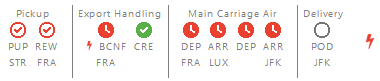
Tasks in order tracking
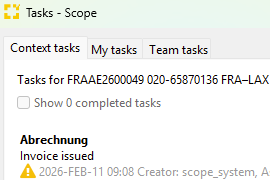
Tasks and Order Tracking: Allow to create a new task upon milestone completion.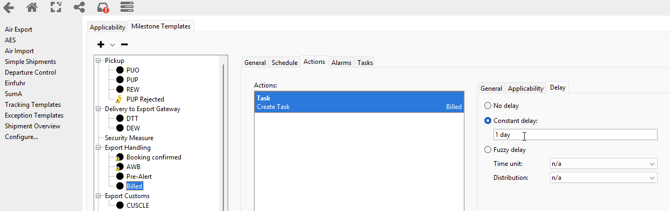
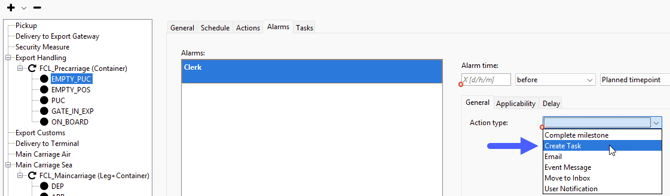
Tracking Template: Add task creation action on alarm trigger
Air
Air Messaging Premium
Added new Airline Messaging Premium feature: Reliable automatic tracking for air freight main carriage. Subscription is possible for air export and air import tracking. Pilot/beta phase started. Find out more: https://service.riege.com/en/knowledge/reliable-automatic-tracking-for-air-freight-main-carriage
Air Freight Booking Portal
Added checkbox to capacity-query to deliver cargo (un) secured. 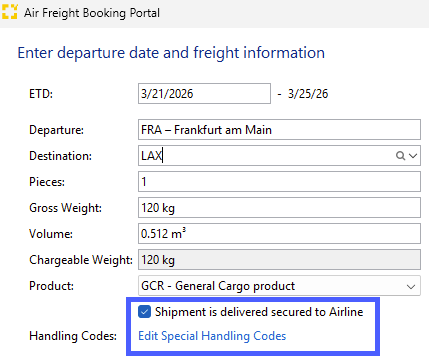
The expected impact is improvement on fee precision as well as visibility of more available flight options.
Airline Messaging
E-freight and airline messaging: Added warning for nature of goods plus HS codes being too long in eAWB.


Ocean
Improved event data quality in Scope
When receiving Portbase webhook events, which contain gate-out times for containers, for each such information a new MLI event of type GATE_OUT (corresponding to a generic FCL event of type “ACT_TERMINAL_OUT”) will be generated.
Scope Sea Import Container Editor View
On FCL Sea Import Shipments, in the container section, a new tab was created to separate the container movements from the general container properties.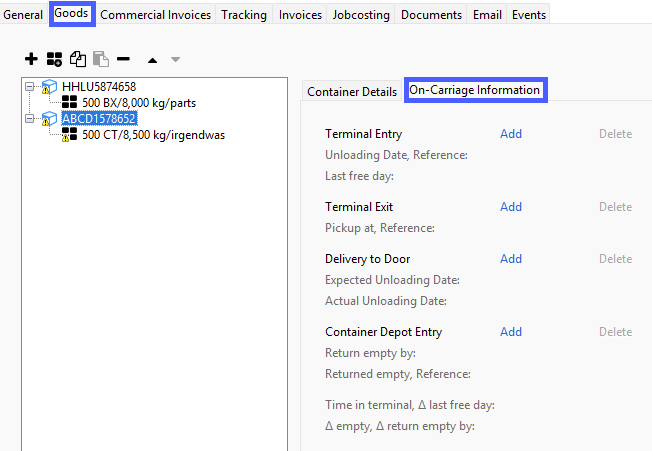
Seafreight Export
It is no longer required to discouple a superhouse (FCL+LCL) shipment from a consol master for adding and removing subhouse-shipments.
Before the super house consol could not be changed any more (add/remove houses) if the super house was already consolidated on a master.
Pre-alert Air+Sea Import & Update
Display of pre-alert in status line if a shipment has been created from a pre-alert:
And an asterisk as indication if an update has been received for taking over: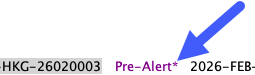
To view the updated pre-alert, just click on the action link in the title bar of the shipment.
Container Type Master Data
An ISO 6346 group code or type code is mandatory for adding any new container or when maintaining an existing container type.
Go to Master Data > Forwarding > Equipment to enter the Equipment Type Overview.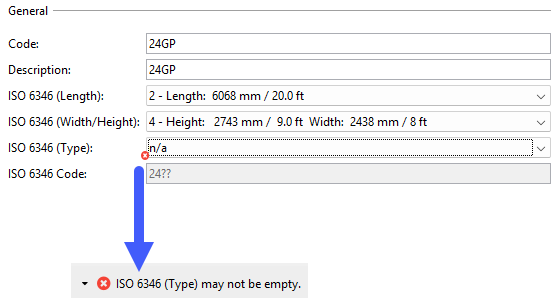
Finance
E-Invoicing
A new interface has been implemented to enable sending and receiving e‑invoices via the KSeF system for Scope branches in Poland, ensuring compliance with national e‑invoicing regulations.
When an outgoing invoice is issued, its status will temporarily appear as “finish pending” until a confirmation is received from the KSeF system. Once confirmed, Scope will then show the KSeF ID of the invoice in a new column “Invoice ID (tax authority)” on the Accounts Receivable overview.
Incoming e‑invoices provided by KSeF are automatically imported into the Accounts Payable Import appliance in Scope. Additionally, users can set up an email notification to be informed whenever new e‑invoices are received from KSeF.
To activate email notifications, please contact the Riege Service Team.
Additional information about the KSeF interface implementation is available in the Scope Knowledge Base:
https://service.riege.com/en/knowledge/scope-e-invoicing-support-in-poland
https://service.riege.com/en/knowledge/scope-e-invoicing-support-in-poland-limitations
Accounts Payable Imports
The email notifications for the Accounts Payable Import appliance have been updated. The following notifications are now available:
-
Pending classification reminder (daily): A notification is sent once per day at 08:00 (legal entity local time) to remind users of Accounts Payable import entries that have the ‘Pending classification’ status.
-
New open invoice awaiting review: A notification is triggered for every newly imported accounts payable entry received via an interface that is in status ‘Open’. If automations are enabled for the creditor and applied during import, no notification is sent.
-
Automated import failed: A notification is sent when an invoice cannot be imported via an interface. In such a case the accounts payable import entry is assigned the status 'Error'.
To activate email notifications, please contact the Riege Service Team.