
If you have created a tariff and Scope does not automatically apply it as expected when calculating jobcosting in a quotation or shipment, the tariff criteria differ from those of the quotation or shipment. Follow the steps below to solve the issue.
The example below shows a estimated payable in a shipment for which no tariff was found. The procedure is exactly the same for a quotation.
First, open the relevant estimated payable line. Use the drop-down menu or press F7 to display the tariffs. You can then view the search criteria Scope uses to find a tariff. If applicable, the table below shows how many valid tariffs are available. In this case, there are none.
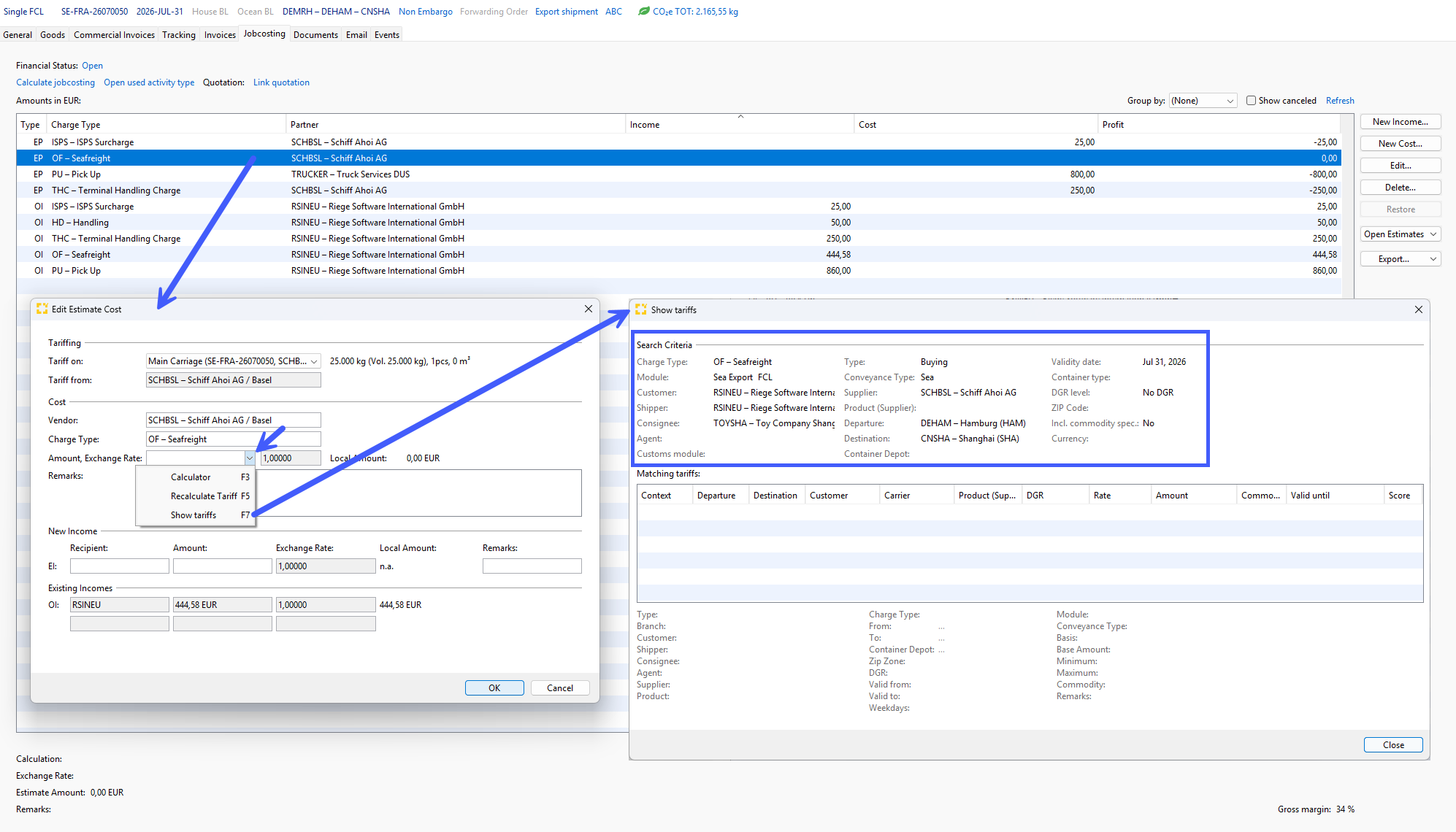
Take a screenshot of the search criteria so you have them available for the next step.
Now navigate to the “Tariffs” module (Master Data > Finance > Tariffs) and open the tariff that you believe Scope should have applied. Compare the tariff’s criteria with the tariff search criteria shown in the screenshot from the shipment. Review each search criterion carefully step by step and identify any differences from the tariff you created.