Rate Text Blocks can be maintained under Master Data > CRM > Rate Text Blocks.
When creating a new rate text block, first select the appropriate area of application, either “rate sheets & quotations” or “tariffs”.
When you create a new rate text block, assign a meaningful name and briefly summarize the content in the “Headerline” field. In the “Text” field, you can then enter the full text and in the lower section you can add translations into other languages.
Below an example for the application rate sheet & quotations: 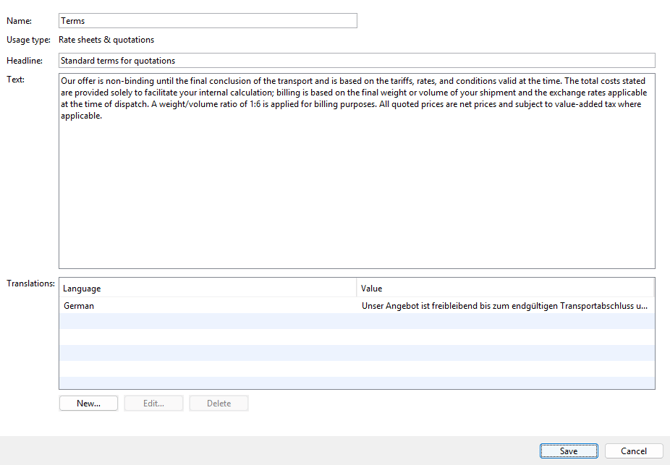
Nearly identical is the layout for the application for tariffs, below an example: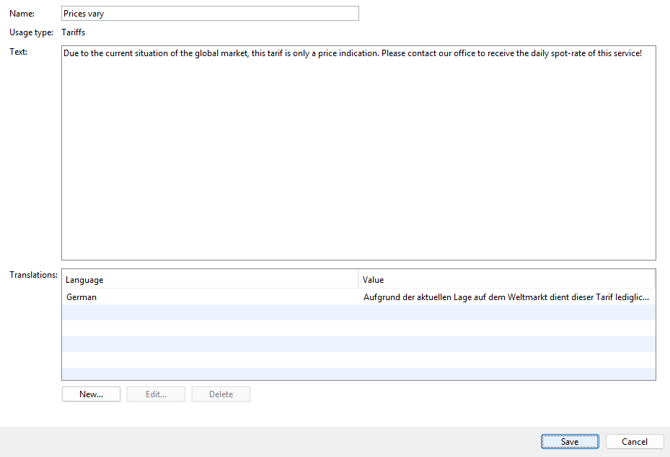
For all three areas of application, you will find examples below showing where you can insert the text blocks.
Quotation (CRM > Quotations)
In the Layout Tab with the button Add: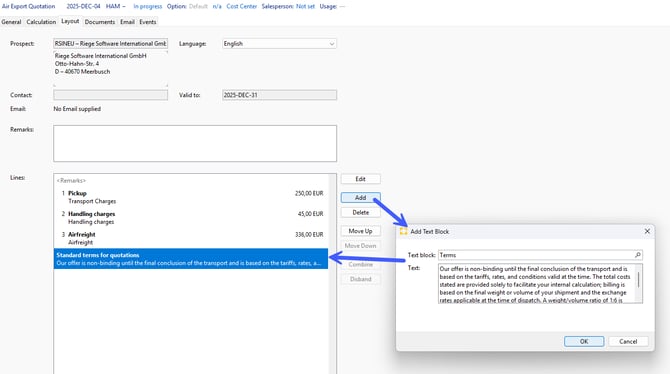
Rate Sheet (CRM > Rate Sheet Templates)
In the rate sheet templates you can add to the header and the footer a text block via the New button: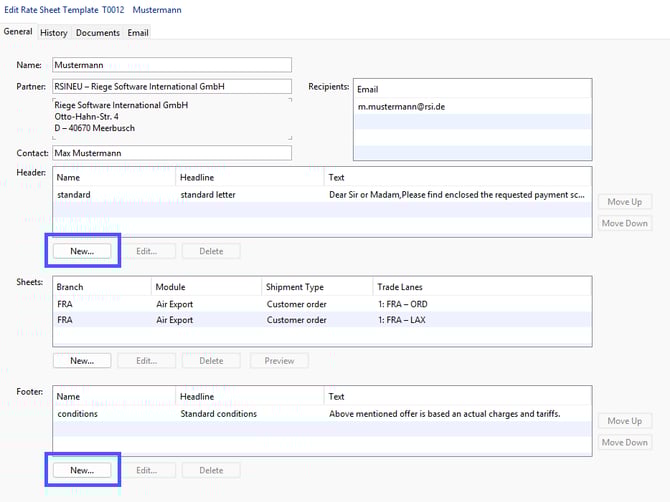
Tariff (Master Data > Finance > Tariffs)
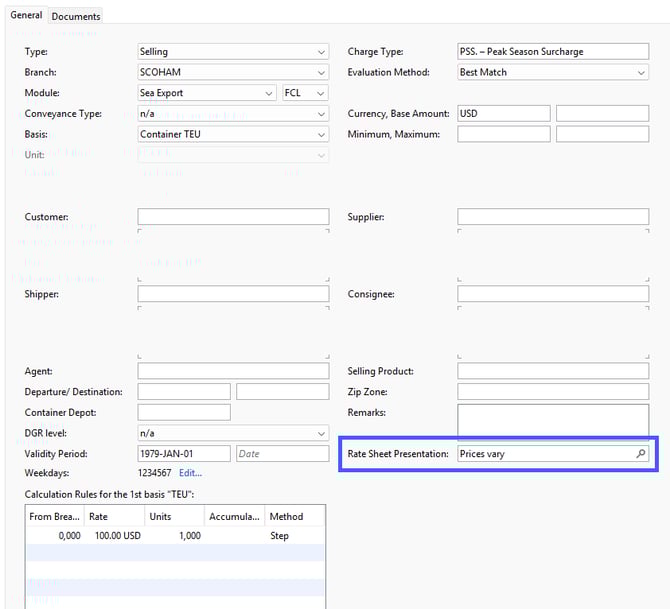
In a tariff you can select the desired rate text block under Rate Sheet Presentation: