The requirements are expected to become effective as per 2026, January 1st. Several airlines have declared that the following data fields are now mandatory. These data fields will be transmitted in accordance with the IATA Other Customs Information (OCI) specification¹, as long as the necessary information has been provided.
- ACID (a unique 19-digit number issued through ACI system, identifying the shipment is approved by Egyptian Customs)
- Egyptian freight forwarder code (for consolidated shipments, a 9-digit number issued by the Egyptian Tax Authority uniquely identifying all registered importers in Egypt)
- Consignor code (Either VAT or other registration number issued by the appropriate authority for the shipper/consignor (exporter) in their home country).
Please keep in mind that the IATA Cargo-IMP standard does not support some special characters (e.g. underscore) which may be used in email addresses. To comply with this official limitation, Scope has no choice but to mangle those special characters in the FWB/FHL transmission messages.
¹ IATA Other Customs Information (OCI) table is available from the IATA eCSD webpage.
Where do I add the data in Scope?
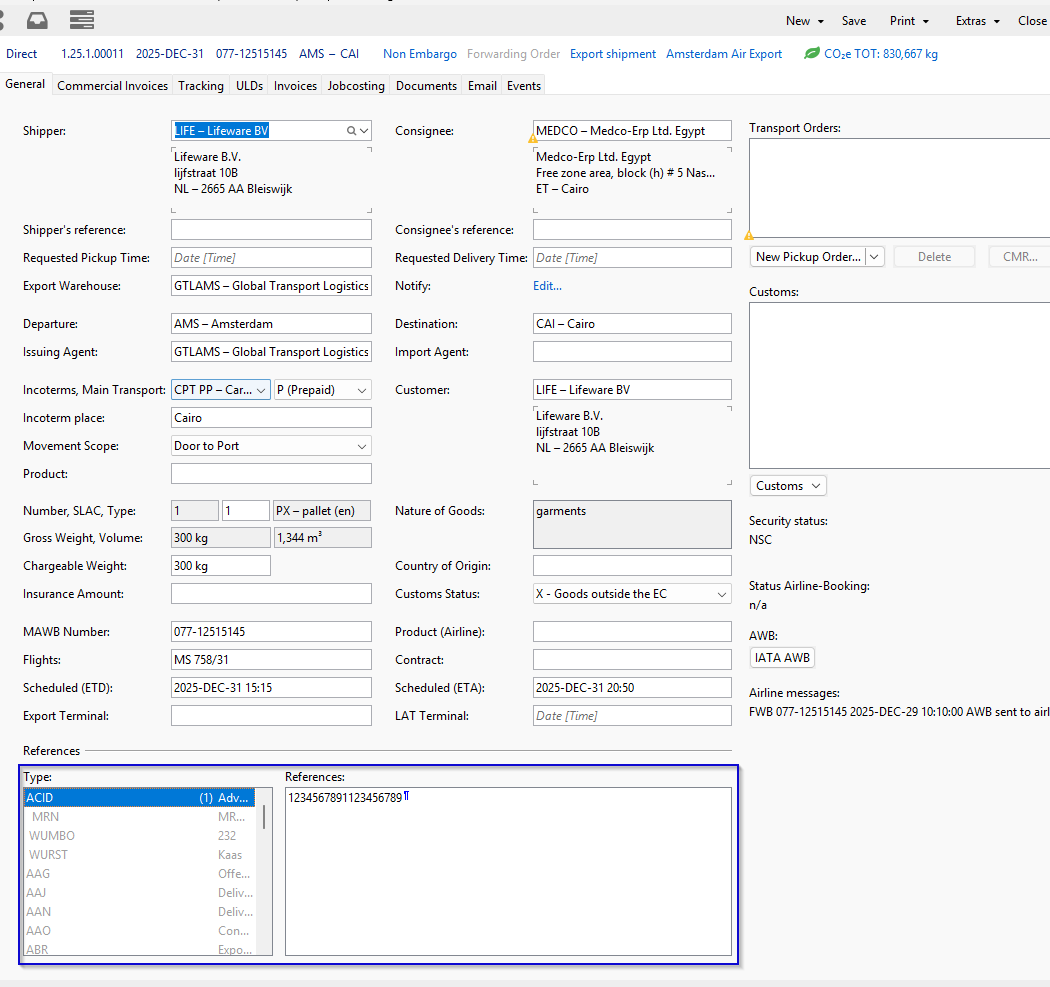
ACID number
Add this number in the References field in Scope.
Look for the reference "ACID" and type the 19 digit number in the field.
Egyptian freight forwarder code and Consignor code
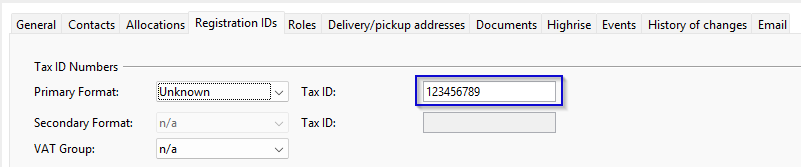
Make sure this is added either to the shipper/consignee partner used in the shipment or on the document address.
Partner
Master Data > Partner ... open a partner > Registration IDs tab
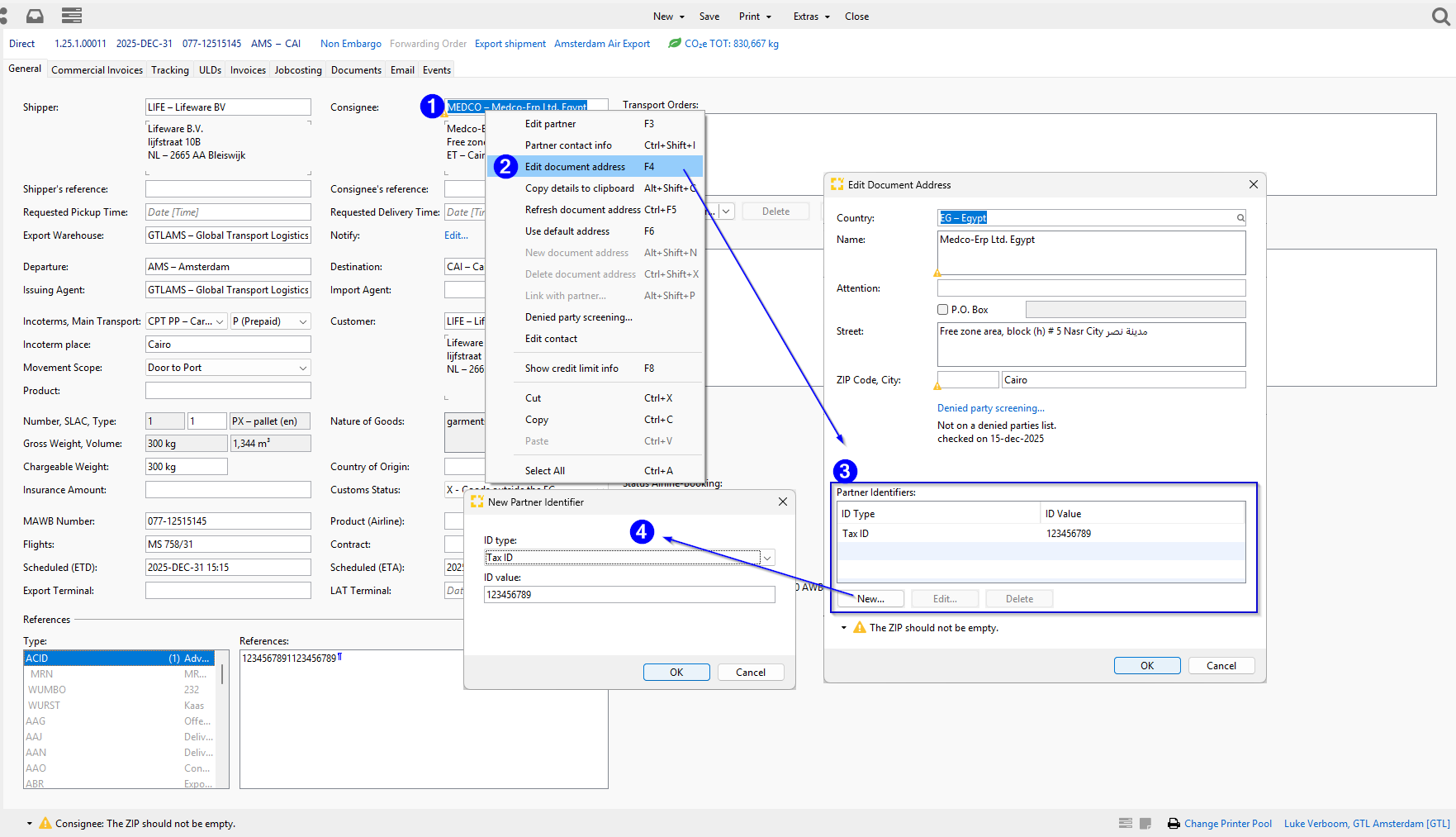
Document address on a shipment
- Right click on the partner (shipper or consignee)
- open the "Edit document address"("F4" when field is activated)
- Click on new
- Add the partner identifier with ID type Tax ID and the value in the value field